
Diwali Website Checklist: Get Your Business Online in 7 Days
October 13, 2026
You switched from cheap shared hosting to a plan with the label “WordPress optimized” and waited for your website to fly. Four to five weeks later, your pages still take 4–5 seconds to load, your WordPress dashboard feels sluggish, and Google Search Console continues to show Core Web Vitals issues.
The reality is that hosting is only one of several factors that affect WordPress speed. While having good WordPress hosting services in India will make your site strong, they will not be able to fix issues within the theme, plugins, images or database. This article will focus on the actual reasons your site is slow and whether it is a problem with your site or your host.
In practice, ‘optimized WordPress hosting’ is a marketing term used for hosting environments configured to improve WordPress performance. Depending on the provider, this may include NVMe storage, current PHP versions, server-side caching, database optimization, security features, and automatic WordPress updates.
Optimized WordPress website hosting doesn’t do rewriting your bloated theme or removing unused plugins or compressing your 4 MB images. The server speed is determined by hosting, while your web page determines the amount of work for the Server and the Browser.
Most pages are made from scratch each time WordPress is visited. When there is a ready-made copy, it is stored in the cache, and the server can serve it immediately. Most of the time there is caching enabled but not set up, or there are two or three plugins wasting time trying to compete for the same files, resulting in a slower website.
Fix: Use one caching solution only, ideally the one your host provides. Test in an incognito window, since logged-in admin views bypass the cache.
Large CSS and JavaScript payloads can delay rendering and contribute to a poor Largest Contentful Paint (LCP). Google considers an LCP of 2.5 seconds or less good. Several megabytes of code in a page can’t be replaced by any server.
Fix: Use PageSpeed Insights or GTmetrix to check the page weight. Use a lightweight theme or block-based theme, disable unused modules in the builder and remove sliders above the fold.
A poorly coded plugin can add significant processing time to your pages, especially if it loads unnecessary scripts or performs expensive database queries. Common offenders include related-posts plugins, social sharing scripts, stacked tracking tags, and security scans running during peak hours.
Fix: Use the free Query Monitor plugin to spot slow queries and heavy scripts, test deactivations on a staging copy, and remove anything you don’t actively use.
Images remain the biggest contributor to page weight. A single photo straight from a phone can add 3–6 MB, which is painfully slow on the mobile networks most Indian users browse on.
Fix: Resize, compress and serve images in WebP format to their display size. Avoid lazy loading your main hero image – but do lazy load images lower down the page.
Over time, WordPress collects post revisions, spam comments, expired transients, and leftover data from uninstalled plugins. Some of this “autoloaded” data loads on every single page request.
Fix: Take a backup, then clean out revisions, spam, and expired transients. Limit future revisions by adding define (‘WP_POST_REVISIONS’, 5); to your wp-config.php file.
Some sites are still using an older version of PHP because they were created with it, but newer versions will be even faster and more secure.
Fix: Check your version under Tools → Site Health. Test the upgrade on staging, update incompatible plugins, PHP 8.3 or newer where your WordPress stack supports it.
WP-Cron runs scheduled tasks on visitor page loads rather than a real server timer, adding work to normal requests. The Heartbeat API also sends frequent requests when several dashboard tabs are left open.
Fix: On busy sites, replace WP-Cron with a real server cron job (your host’s support team can help), close unused admin tabs, and limit Heartbeat frequency.
When your audience is in India and your server is in the US or Europe, each request has to cover thousands of kilometres, which means Time to First Byte (TTFB) is going to increase.
Fix: Choose WordPress hosting with an India data center. When comparing WordPress hosting plans in India, check where the servers are, not just where the company is registered.
Every plan has limits on storage, databases, and concurrent users. Agencies and freelancers often hit these first, because they need WordPress hosting for multiple websites in India but stretch a single-site plan instead. Warning signs include slowdowns at peak hours, “resource limit reached” errors, and a sluggish dashboard even on a lightweight theme.
Fix: Check resource usage in your control panel and upgrade your tier. If you’ve outgrown managed hosting entirely, a Linux KVM VPS gives you dedicated resources.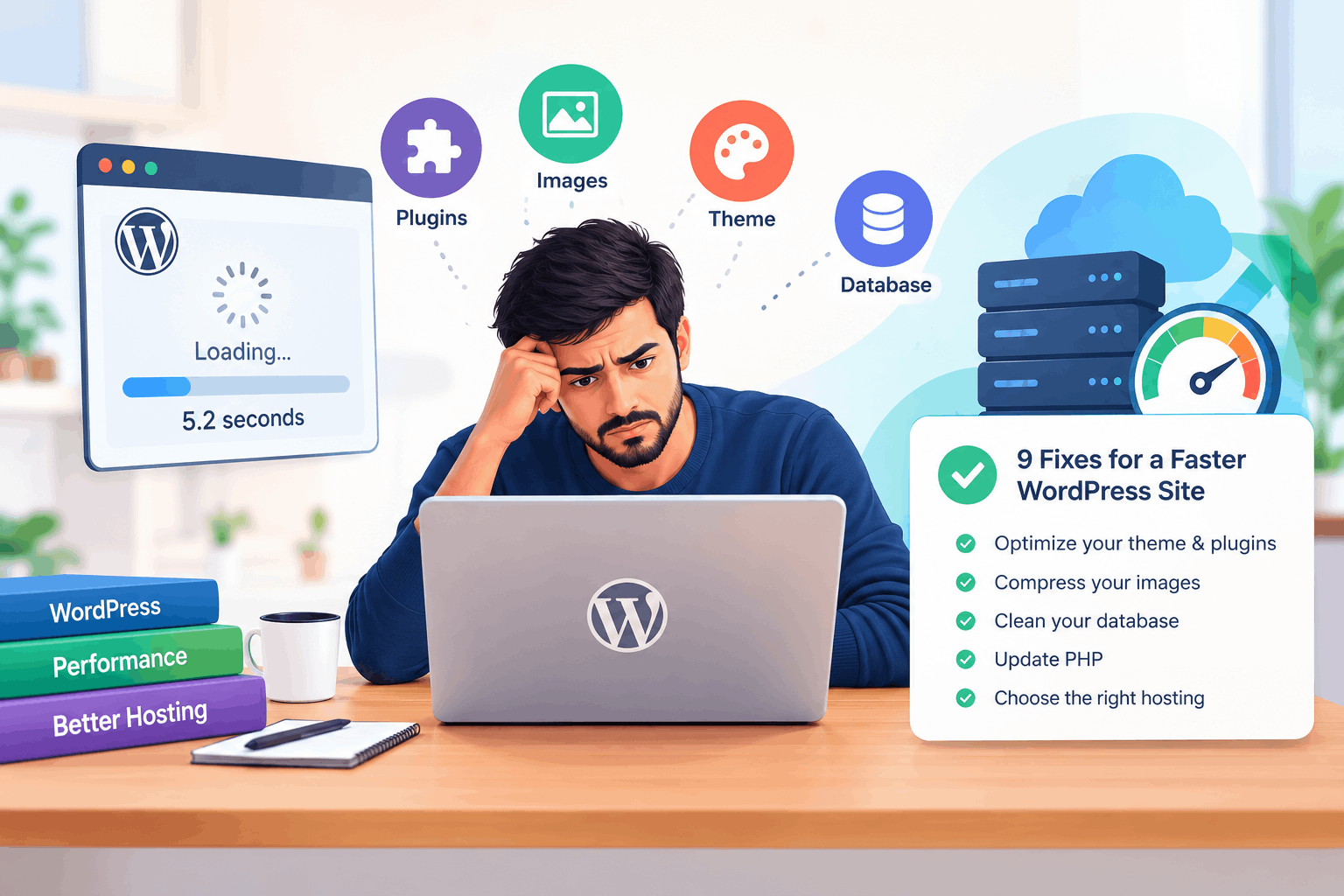
If even a blank page is slow with a high TTFB, it’s time to talk to your host.
When comparing WordPress hosting providers, look past the word “optimized” and check for:
HostPlanet’s fast WordPress hosting in India runs on AMD EPYC™ processors and NVMe SSD storage, with an India data centre option to keep response times low for Indian visitors.
Our exclusive WordPress plugin handles intelligent caching, minification, and automatic WebP conversion. Core updates and database cleanup are managed for you, and every plan includes a web application firewall, DDoS protection, free malware scanning, and free SSL.
Our WordPress hosting plans in India scale from the Starter plan for one website to the Performance, Business, and Professional plans supporting 5, 10, and 25 websites, a practical fit for agencies and growing businesses. You can upgrade anytime from your control panel, and our support team can help migrate your existing site with minimal downtime. For automated cloud backups and easy restores, add Xcitium Website Backup.
Optimized hosting is not the endpoint but rather, the beginning. Optimize your theme and plugins, compress your images, clean your database, keep PHP updated, and choose a hosting plan that can grow with your traffic.
Ready for a faster foundation? Explore HostPlanet’s WordPress hosting services in India and pick the plan that fits your site today.
1. Why is my WordPress site slow even on optimized hosting?
Optimized hosting will enhance the speed of the server, but not be able to fix a heavy theme, too many plugins, large images, or a cluttered database. For most slow sites, there must be changes on both the website and the host.
2. How do I know if my hosting or my website is causing the slowdown?
Create a blank page and test it in PageSpeed Insights. If the blank page loads fast but your real pages don’t, the problem is your website; if both are slow with a high TTFB, it’s likely your host.
3. What is a good page load speed for a WordPress site?
Google considers a Largest Contentful Paint (LCP) of 2.5 seconds or less as good, and a Time to First Byte (TTFB) of 0.8 seconds or less as good.
4. Does server location affect WordPress speed?
Yes. If most of your visitors are in India, choosing WordPress hosting with an India data center reduces delay and improves load times.
5. Is NVMe storage better for WordPress hosting?
Yes. NVMe SSD storage is much faster than the old SATA SSD storage, making database-driven sites such as WooCommerce store faster.
6. What should I look for when comparing WordPress hosting providers?
Look for NVMe storage, an India data centre, built-in caching, free SSL, malware scanning, transparent resource limits and smooth upgrade process.
7. Can I host multiple websites on one WordPress hosting plan?
Yes. In India, HostPlanet offers WordPress hosting services in India on its plans that come with 5, 10 and 25 websites on the Performance, Business and Professional plans respectively.
8. Do HostPlanet’s WordPress hosting services in India include free SSL?
Yes. Every plan comes with a free SSL certificate that’s set up automatically, so your site runs on HTTPS from day one.
9. Can I upgrade my WordPress hosting plan later?
Yes. You can move to a higher-tier plan anytime from your control panel as your traffic grows.
10. Can HostPlanet migrate my existing WordPress site?
Yes. Our support team can help move your WordPress site from another host with minimal downtime.